PatioTime Documentation

Required & Recommended Plugins

August 3, 2025
This is a new feature added since v2.0.0
Manage plugins for this theme

When you visit your site’s dashboard > PatioTime Theme Dashboard > Plugins, you can manage commonly used plugins plugins for this theme.
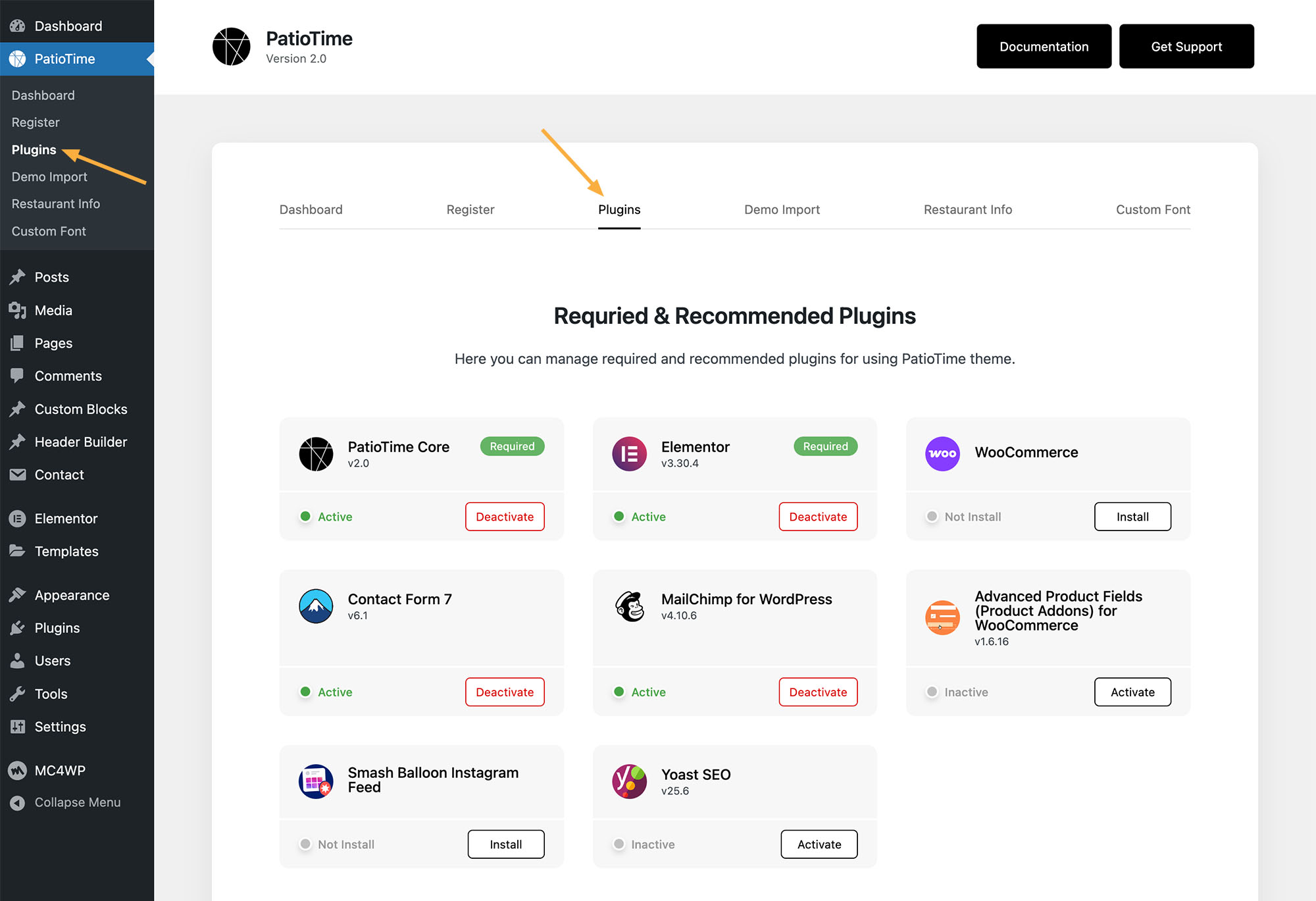
These include two required plugins and several recommended plugins for various additional features.

Required Plugins

There are two required plugins when using this theme:

  • PatioTime Core – Built-in core plugin (developed by our team). It extends the functionality of the PatioTime theme and includes features such as custom Elementor widgets, post likes and sharing, gallery slider, Instagram feed, and more.
  • Elementor – The 3rd-party page builder plugin used for creating content & pages. This is one of the most popular and leading WordPress builder plugins currently available.
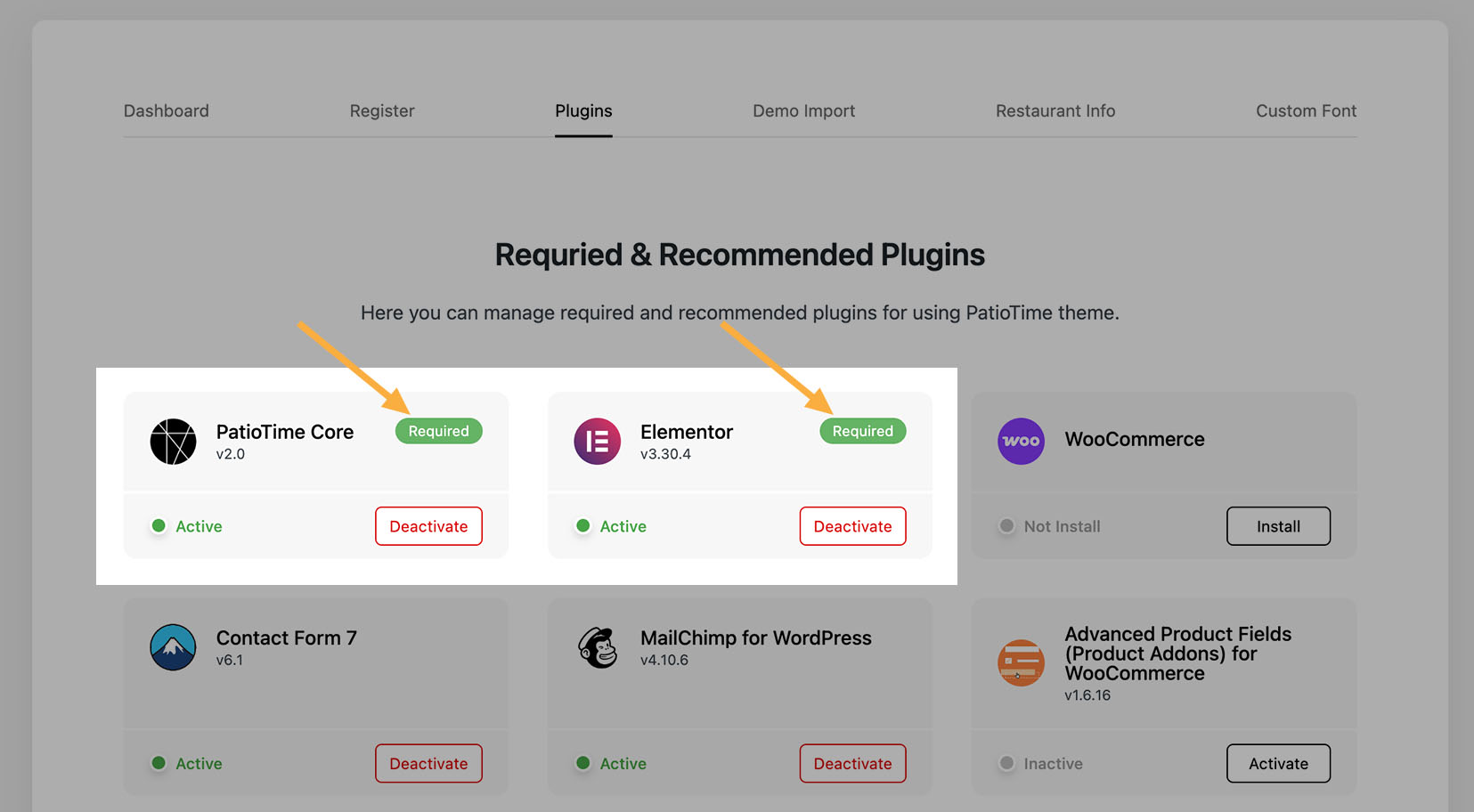
Why do you need to install the required plugins?

Because of WordPress code standards and ThemeForest requirements: “Themes execute the presentation and styling of content, while plugins handle content creation and functionality.” Therefore, some features must be included in the required plugin but not included in the theme itself.

Recommended Plugins

The plugins shown on this page, aside from the two required plugins mentioned above, are recommended plugins.

These plugins are not required to use the theme, but they can extend its basic functionality. All of these plugins are hosted in the official WordPress repository and developed by other developers. You don’t need to install and activate every plugin; just select the ones you want to use on your website.

PatioTime Core Settings

On this page, scroll down and you will find the following settings:
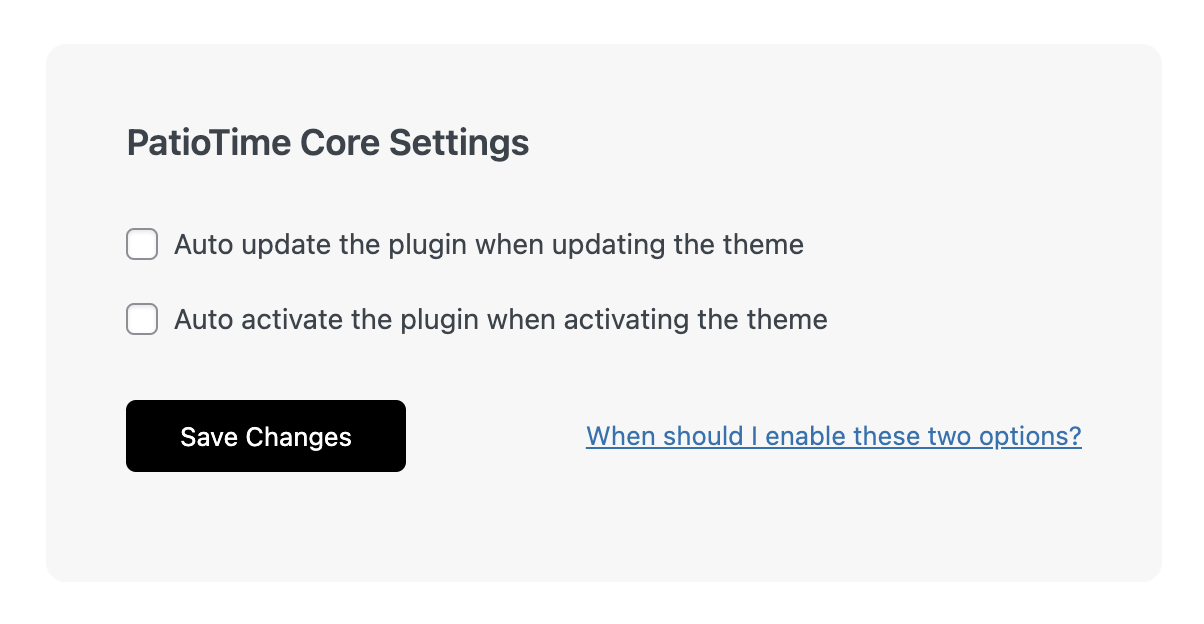
  • Auto update the plugin when updating the theme
  • Auto activate the plugin when activating the theme

When should you activate these two options?

When there is a newer version of the theme, after updating the theme itself, you usually need to update the required plugins to ensure maximum compatibility with the theme. However, in rare cases, some users may forget to update the plugin after updating the theme, and then some problems will occur.

In addition, some users may switch themes, they may forget to activate the required plugin after switching back to PatioTime theme, and then they will find that some features no longer work.

In order to avoid the above situations, we recommend checking both options.

Close
Close